
You’re standing in the kitchen, coffee going cold (again), while your LO bounces off the walls with enough energy to power a small city — and you’re wondering how to channel that into something actually useful.
Here’s the thing: teaching kids to think like coders doesn’t mean parking them in front of a tablet or laptop.
In fact, some of the most powerful early coding concepts — sequencing, pattern recognition, problem-solving, debugging — are best learned through physical, hands-on play that gets little bodies moving and little minds firing.
Whether you’re a SAHM, SAHD, homeschool parent, or just someone who wants their weekend activity to count for something, these 10 screen-free coding activities for kids are genuinely fun, surprisingly simple to set up, and secretly brilliant for brain development.
Spoiler: your kid will have no idea they’re learning to code. They’ll just think they’re playing. And honestly?
That’s exactly the point. 🙂
1. The “Human Robot” Game — Giving and Following Instructions
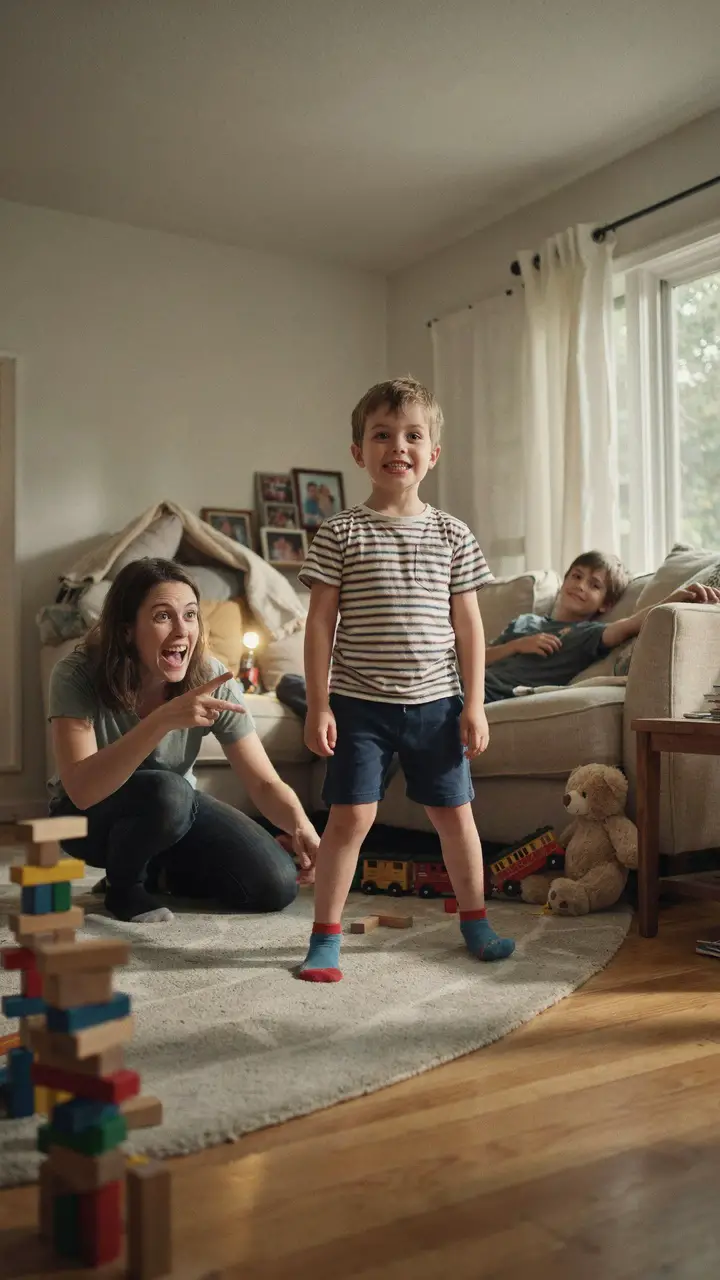
This one requires zero supplies and can start in the next thirty seconds. One person is the “programmer” and the other is the “robot.” The programmer gives precise movement instructions — “Take three steps forward,” “Turn left,” “Pick up the red block” — and the robot follows them exactly as spoken.
Here’s where it gets hilarious: toddlers playing robot will gleefully walk into walls if you forget to say “stop.” That’s not failure — that’s your first lesson in debugging. You gave bad instructions, and the program (your kid) did exactly what you said.
How to Set This Up
- Materials needed: None! Optional: obstacles like cushions, stuffed animals, or a simple “treasure” to collect
- Age appropriateness: 3–7 years (younger kids can be the robot; older kids love being the programmer)
- Setup time: 0 minutes | Play duration: 10–30 minutes | Cleanup time: 0 minutes
- Mess level: 🟢 Low — unless the “robot” knocks over a lamp
- Developmental benefits:
- Sequencing and instruction-following
- Spatial awareness and directional language (left, right, forward, back)
- Communication skills — learning to be precise with words
- Early understanding of algorithms (a set of instructions to complete a task)
- Safety notes: Clear fragile items from the play area before the robot starts marching
- Variations:
- Add a blindfold for older kids (ages 5+) to increase challenge
- Use a simple “instruction card” system with arrow drawings for pre-readers
- Try it outdoors with a chalk-drawn maze
- Parent tip: When something goes wrong, resist fixing it immediately — ask “What instruction did we forget?” That moment of figuring it out together is pure computational thinking gold.
2. Sequence Sorting Cards — Telling Stories in Order
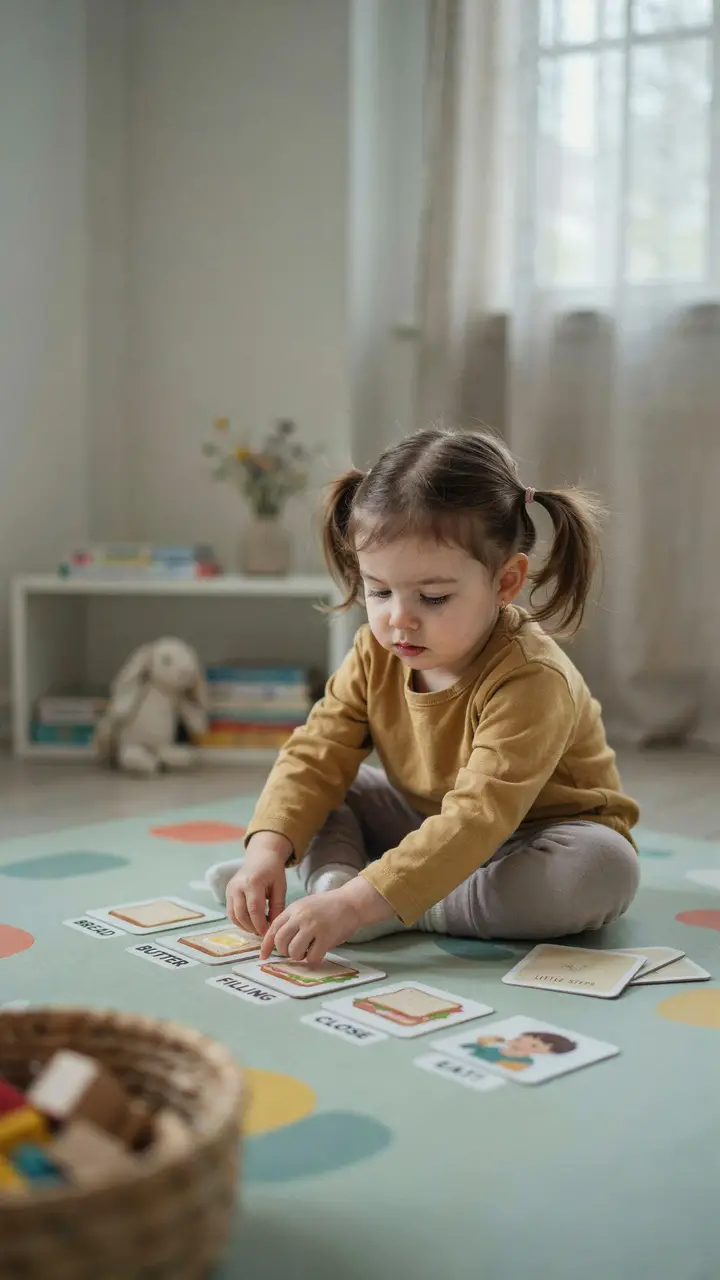
If your LO loves stories, this activity is a dream. Sequencing — putting events in the correct order — is one of the most foundational coding concepts there is. Every program runs in sequence, and kids who understand “first this, then that, then this” are already thinking like programmers.
You can DIY these cards with index cards and quick drawings, or print simple story strips from free online resources. Show the steps of a familiar routine: waking up, brushing teeth, eating breakfast. Then mix them up and ask your child to sort them back into order.
How to Set This Up
- Materials needed: 4–6 index cards or cardstock, markers or printed pictures, optional laminator for reuse
- Age appropriateness: 2–5 years (use 3-step sequences for toddlers; 6-step sequences for preschoolers)
- Setup time: 10–15 minutes to create cards | Play duration: 15–25 minutes | Cleanup: 2 minutes
- Mess level: 🟢 Low
- Developmental benefits:
- Sequencing and logical ordering
- Narrative comprehension and storytelling
- Fine motor skills (handling and placing cards)
- Early reading readiness through visual story structure
- DIY themes that work brilliantly:
- Morning routine (wake up → wash face → eat breakfast → get dressed)
- Planting a seed (dig hole → plant seed → water → sun → sprout → flower)
- Baking cookies (mix → pour → shape → bake → eat)
- Extension for older kids (5–7 years): Introduce a “bug” — put one card intentionally out of order and ask them to find and fix it. Hello, debugging!
- Budget tip: Old magazines and scissors work just as well as drawings — cut out sequential images and let kids arrange them.
3. Pattern Block Coding — Cracking the Color Code
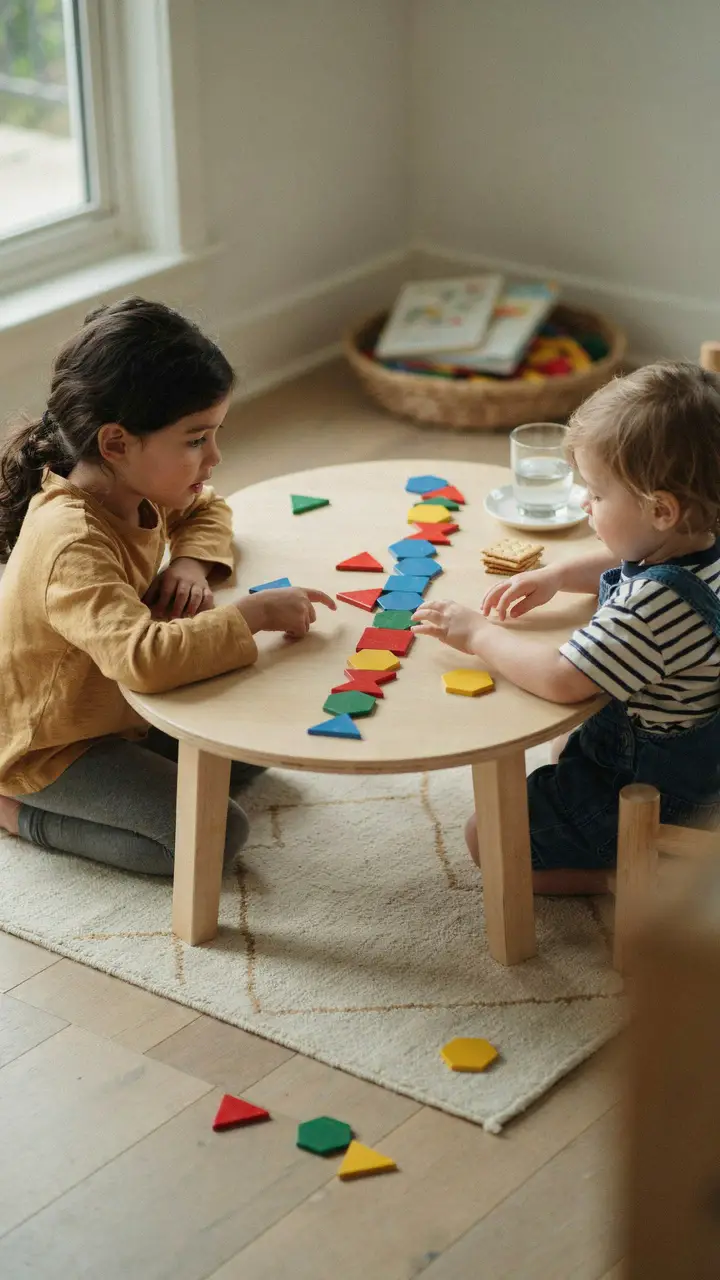
Patterns are the heartbeat of coding. Loops, functions, and repetition all depend on recognizing and extending patterns — and kids as young as 18 months can start exploring this concept with blocks, beads, or even snacks (yes, the Cheerio-raisin-Cheerio-raisin pattern totally counts).
Set out colored blocks, buttons, or LEGO pieces and build a simple pattern: red, blue, red, blue. Ask your child to continue it. Then make it trickier: red, red, blue, red, red, blue. Watch their brain work.
How to Set This Up
- Materials needed: Pattern blocks, colored LEGO bricks, large buttons, colored beads, or even cut-up colored paper squares
- Age appropriateness: 18 months–6 years (simple AB patterns for toddlers; ABC and AABB patterns for preschoolers and up)
- Setup time: 5 minutes | Play duration: 20–40 minutes | Cleanup: 5–10 minutes
- Mess level: 🟡 Medium — blocks scatter enthusiastically
- Developmental benefits:
- Pattern recognition (core to loops and functions in coding)
- Color and shape identification
- Mathematical thinking and early algebra concepts
- Attention and focus through repetitive, absorbing play
- Variations:
- Use fruit pieces at snack time: grape, cheese cube, grape, cheese cube
- Stamp patterns with sponges and paint on paper
- Body pattern game: clap, stomp, clap, stomp — your whole body is the code!
- For older kids (5+): Introduce the concept of a “loop” — “We’re going to repeat this pattern 4 times. That’s called a loop!”
- Parent sanity tip: A silicone baking mat under the blocks catches everything. You’re welcome.
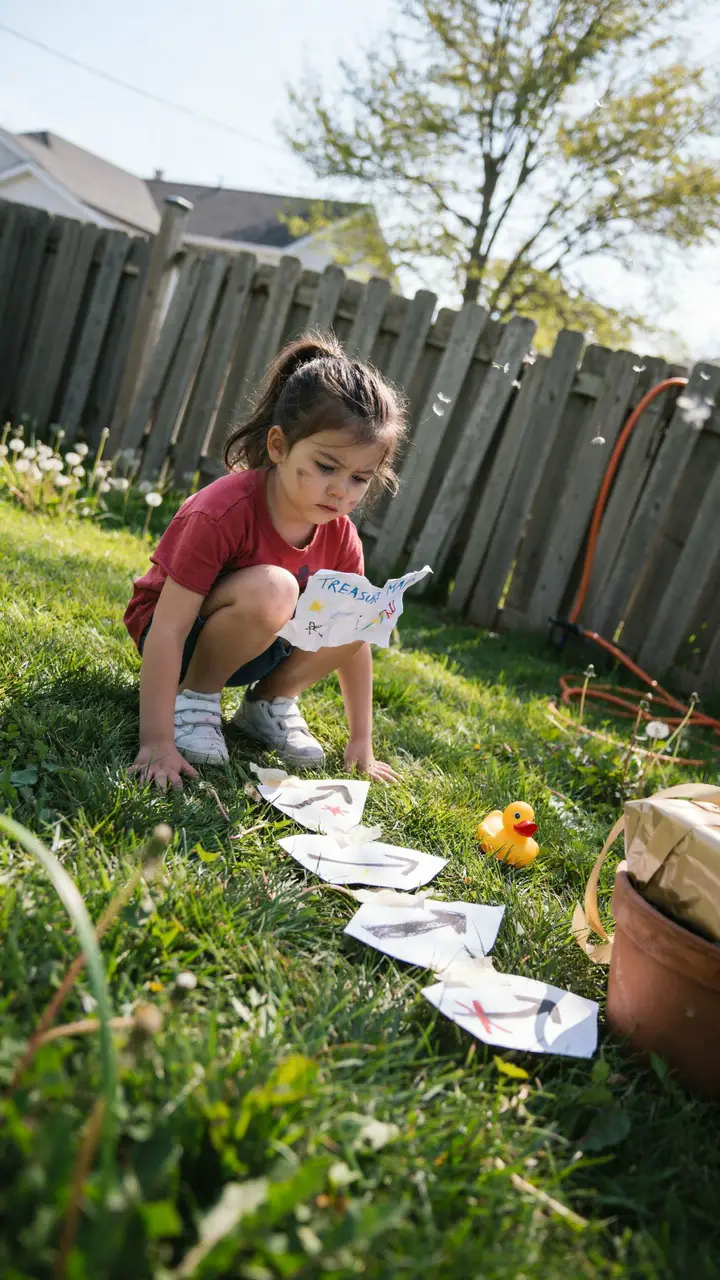
Take the Human Robot concept outdoors and add treasure. Before your child wakes up (or while they’re otherwise occupied), lay out a trail of directional arrow cards — hand-drawn on paper, laminated index cards, or cut from cardboard — leading to a small prize. The twist: each arrow represents one command in a sequence, and kids must “run the program” to find the treasure.
This is essentially a physical algorithm, and kids absolutely love it. The treasure doesn’t have to be anything fancy — a sticker, a special snack, or the privilege of choosing that night’s movie is plenty.
How to Set This Up
- Materials needed: 8–12 arrow cards (paper/card, drawn with marker), a small “treasure,” optional: a simple map drawing
- Age appropriateness: 3–7 years
- Setup time: 10–15 minutes | Play duration: 15–30 minutes | Cleanup: 5 minutes (collecting the cards)
- Mess level: 🟢 Low (outdoors) / 🟡 Medium if treasure involves craft supplies or messy snacks
- Developmental benefits:
- Algorithmic thinking — following a sequence to reach a goal
- Directional language and spatial reasoning
- Problem-solving when they get “stuck” (debug the route!)
- Reading environmental cues and symbols
- Variations:
- Indoors version works beautifully on rainy days — tape arrows along hallways and around furniture
- Add a written “code sheet” for early readers: “Step 1: Go forward 3 steps. Step 2: Turn right…”
- Multi-player version: two kids follow different arrow sequences to find matching treasure halves
- Extension idea: After the hunt, ask your child to design a treasure hunt for YOU. Watching them plan and lay out the arrows is where the real coding thinking happens.
- Cost: Practically free — just paper, a marker, and whatever small treasure you have handy.
5. Unplugged Scratch Jr. — Acting Out Code Blocks
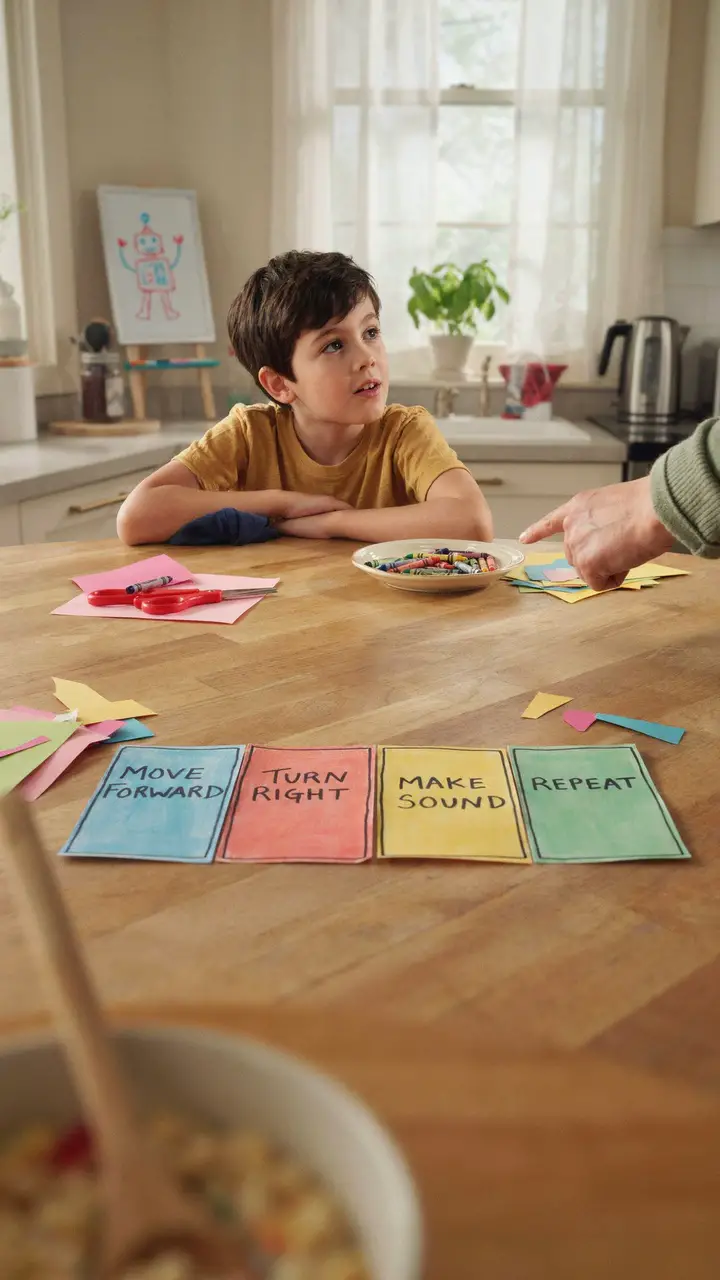
Scratch Jr. is a beloved coding app for young children — but this version uses paper, and it’s just as effective for teaching the same concepts. Cut colored paper into “code blocks” and label them with simple commands: MOVE 1 STEP, TURN LEFT, JUMP, SAY HELLO, WAIT 2 SECONDS. Your child arranges the blocks into a sequence, and then you (or a stuffed animal, or a sibling) “execute” the program by acting it out.
This tangible, physical experience of building a program and watching it run is exactly how kids internalize what coding actually means.
How to Set This Up
- Materials needed: Colored cardstock or thick paper (5–6 different colors), scissors, marker, optional: laminator or contact paper for reuse
- Suggested color coding:
- 🔵 Blue = Movement (MOVE FORWARD, TURN LEFT/RIGHT)
- 🟢 Green = Start/Stop (START, END)
- 🟡 Yellow = Sound/Speech (SAY “HELLO,” MAKE A SOUND)
- 🔴 Red = Wait/Pause (WAIT 1 SECOND)
- 🟣 Purple = Repeat (DO THIS 3 TIMES)
- Age appropriateness: 4–8 years
- Setup time: 20–30 minutes (first time, to create blocks) | Play duration: 20–45 minutes | Cleanup: 5 minutes
- Mess level: 🟢 Low
- Developmental benefits:
- Understanding code syntax and structure
- Cause-and-effect reasoning
- Creative thinking — designing their own programs
- Cooperation and communication when working with a partner
- Parent tip: Let them write their own command blocks too. “HUG MOM” and “DO A SPIN” are completely valid code. These are their programs — celebrate the creativity.
6. Conditional Sorting Game — “If This, Then That”
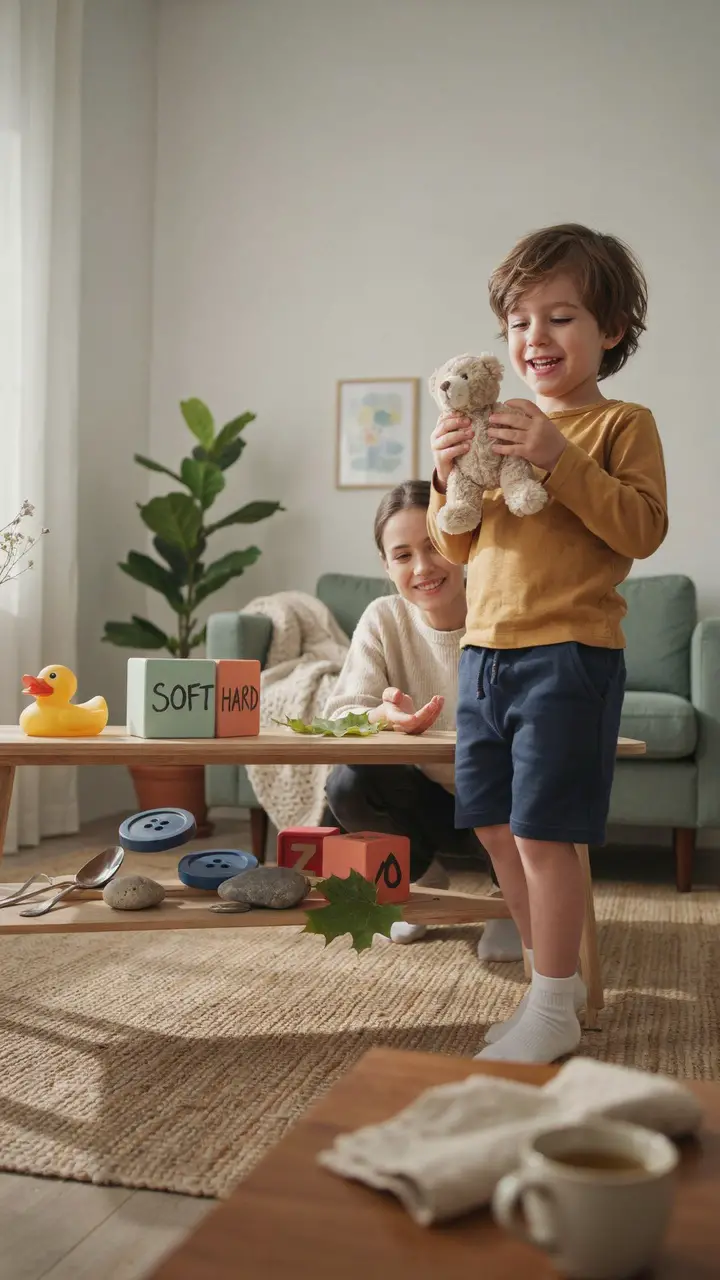
“If it’s soft, put it in this box. If it’s hard, put it in this box.” That’s an IF/THEN statement, and toddlers can absolutely grasp it — especially when it involves sorting a pile of random objects. This activity teaches conditional logic, which is literally how every decision in a computer program works.
Start simple and build up. Once they’ve nailed soft/hard, try: “If it’s red, put it here. If it’s NOT red, put it there.” You just introduced Boolean logic. NBD.
How to Set This Up
- Materials needed: 10–15 mixed household objects, 2–3 labeled containers or boxes, simple labels (drawn or written)
- Age appropriateness: 2–6 years (start with one condition for toddlers; introduce multiple conditions for ages 4+)
- Setup time: 5 minutes | Play duration: 15–25 minutes | Cleanup: 5 minutes
- Mess level: 🟢 Low
- Developmental benefits:
- Conditional reasoning and logical classification
- Vocabulary development (soft, hard, heavy, light, big, small)
- Category thinking — foundational for math and science
- Decision-making and independent thinking
- Sorting condition ideas to try:
- If it floats / if it sinks (try this at bath time!)
- If it’s living / if it’s not living (great nature walk follow-up)
- If it has wheels / if it doesn’t
- If it’s bigger than my hand / if it’s smaller
- Extension for ages 5+: Introduce a THIRD category for things that meet both conditions, introducing basic AND logic
7. Coding With LEGO — Building Loops and Functions
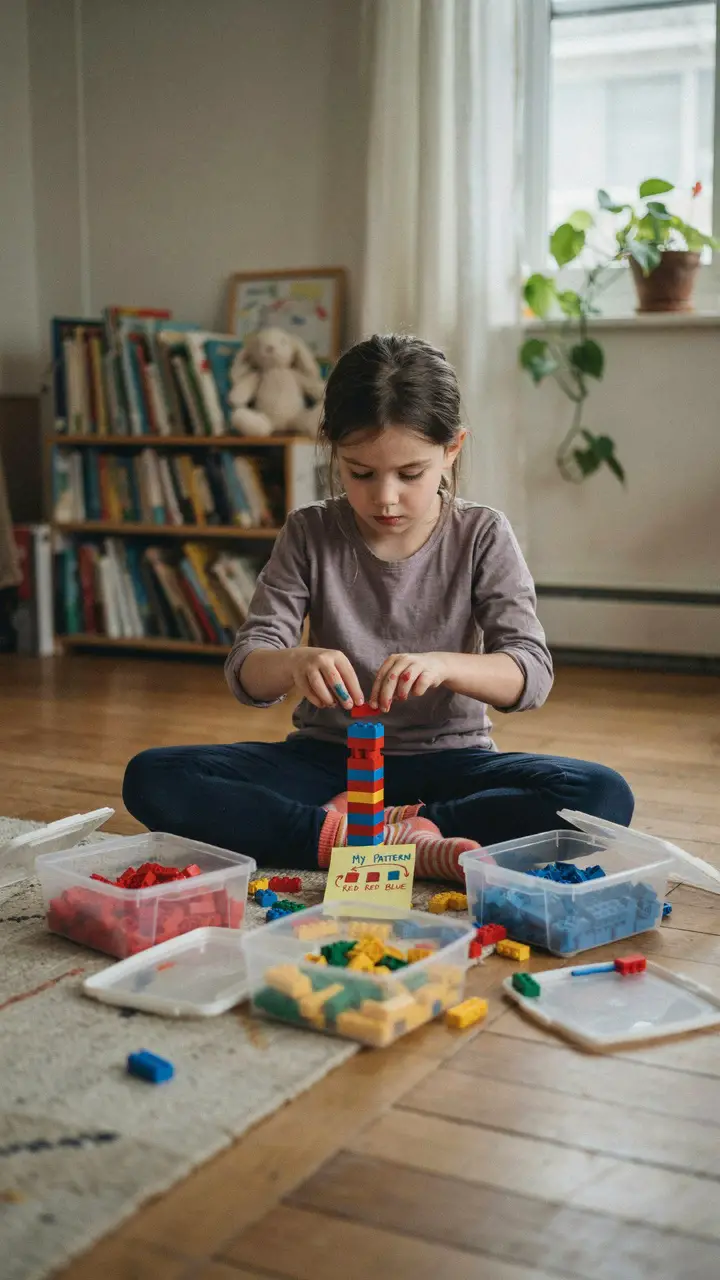
LEGO is basically physical programming — and when you use it intentionally, it becomes a genuinely powerful coding tool. The secret is adding structure: give your child a “program” to follow (a simple repeating pattern) and watch them execute it brick by brick. Each repeat of the pattern is a loop. Each section of the build that does a specific job is a function.
You don’t need to use those words. Just build together, notice the patterns, and let the concepts absorb naturally.
How to Set This Up
- Materials needed: LEGO or Duplo bricks (sorted by color is helpful but not essential), sticky notes for “code instructions,” marker
- Age appropriateness: 2–3 years for Duplo / 4–8 years for standard LEGO
- Setup time: 10 minutes | Play duration: 30–60 minutes | Cleanup: 10–15 minutes
- Mess level: 🟡 Medium — bare feet + LEGO = certified household hazard
- Developmental benefits:
- Pattern recognition and repetition (loops)
- Spatial reasoning and 3D thinking
- Fine motor control and dexterity
- Planning ahead — thinking about what comes next
- Activity variations:
- “Copy My Code” — you build a small model and they recreate it from your instructions only (no peeking)
- “Fix the Bug” — build something with a deliberate mistake in the pattern and ask them to spot and fix it
- Give a LEGO build a “job” — “This part is the wheel function. What does it do every time the car moves?”
- FYI: Even pure free-building with LEGO develops spatial coding thinking. You don’t always need structure — sometimes open play IS the lesson.
8. Storytelling Algorithm Cards — Choose Your Own Adventure
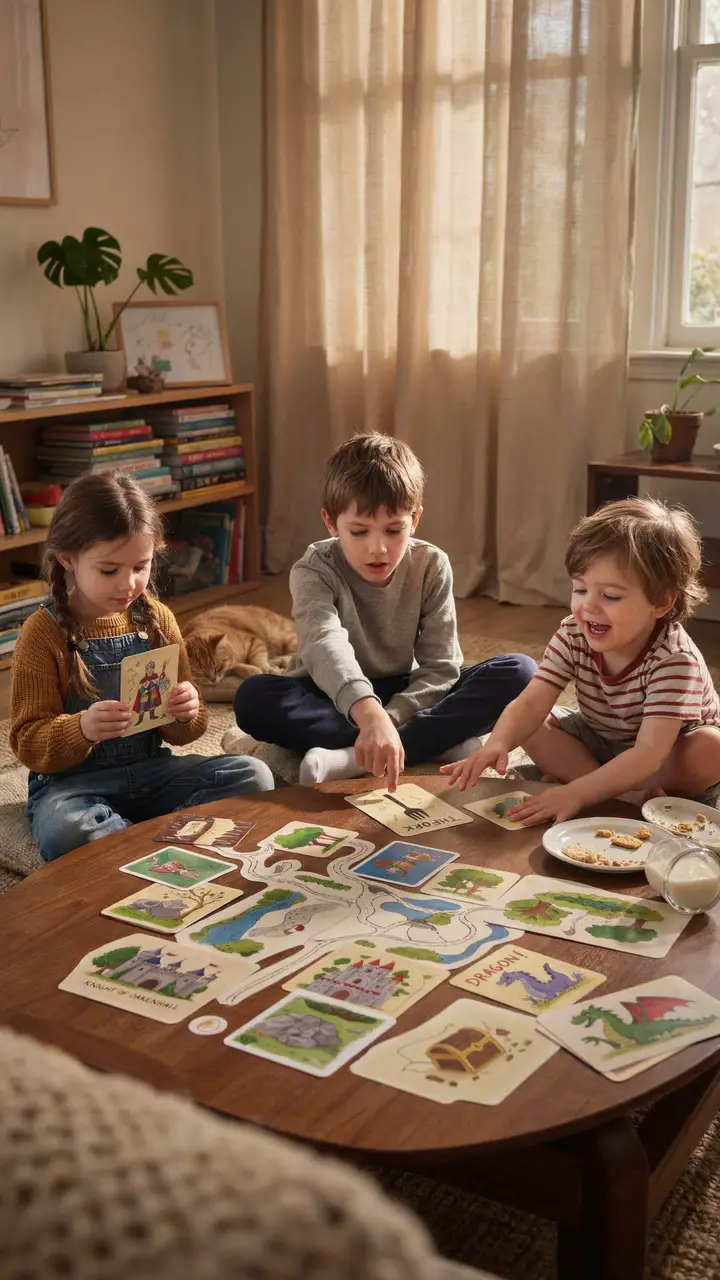
Every coder eventually meets branching logic — the point in a program where a choice must be made. This activity makes that concept feel like pure storytelling magic. Create a simple deck of story cards: setting cards, character cards, and most importantly, choice cards (“The dragon appears! Do you RUN or TALK TO IT?”). Each choice leads to a different outcome card.
Kids don’t just follow the story — they program it by making choices, seeing consequences, and understanding that different decisions lead to different results.
How to Set This Up
- Materials needed: 20–30 index cards, markers or crayons, optional: stickers for decorating
- Card types to create:
- 5 Setting cards (forest, castle, underwater, space, jungle)
- 5 Character cards (knight, wizard, friendly robot, talking animal)
- 10 Event/Choice cards (each with two options leading to different outcomes)
- 10 Outcome cards (some triumphant, some funny, some leading back to earlier choices)
- Age appropriateness: 4–9 years (younger kids with adult guidance; older kids can create their own card decks)
- Setup time: 20–30 minutes to create cards | Play duration: 20–45 minutes per session | Reuse: Indefinitely — the same deck plays differently every time
- Mess level: 🟢 Low
- Developmental benefits:
- Branching logic and cause/effect reasoning
- Creative narrative thinking
- Decision-making and understanding consequences
- Collaborative play and compromise when playing with others
- Parent tip: The first time you play, guide them through it. The second time, step back and let them lead. The third time, suggest they make new cards. That progression from consumer to creator is exactly how coding confidence grows.
9. Obstacle Course Coding — Programming the Body
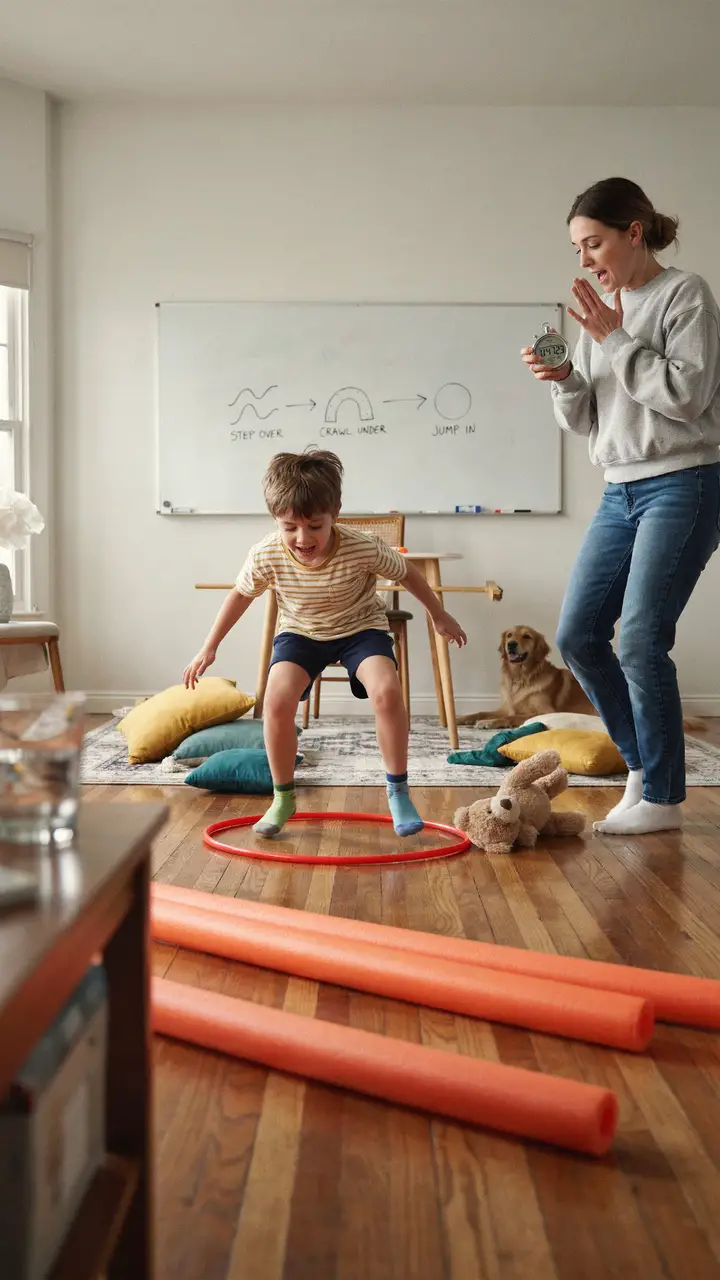
Building an obstacle course is already a childhood classic. Adding a simple visual “code” to map it out transforms it into a legitimate computational thinking exercise. Draw symbols that represent each obstacle — a wavy line means “step over,” a tunnel shape means “crawl under,” a star means “do three jumps” — and post it where your child can see it. They run the course by reading and following their own program.
Then swap roles. They design the course and write the code. You run it. Prepare to crawl under a lot of chairs.
How to Set This Up
- Materials needed: Cushions, pool noodles, chairs, hula hoops, masking tape on floor; a whiteboard, chalkboard, or large paper for the visual code
- Age appropriateness: 3–7 years
- Setup time: 15–20 minutes | Play duration: 30–60 minutes (they will run it repeatedly) | Cleanup: 10 minutes
- Mess level: 🟡 Medium — furniture rearrangement involved
- Developmental benefits:
- Sequential processing — reading and following multi-step instructions
- Gross motor development and physical coordination
- Symbol recognition and early visual literacy
- Debugging in action: When they miss a step, they can look back at the “code” and figure out what went wrong
- Variations:
- Time them and challenge them to “optimize” their run (efficiency — a core coding value!)
- Add a “conditional” card: “IF you knock over the noodle, do 5 star jumps before continuing”
- Outdoor version with chalk symbols drawn on pavement is brilliant on a warm day
10. Binary Bead Bracelets — Turning Letters Into Code
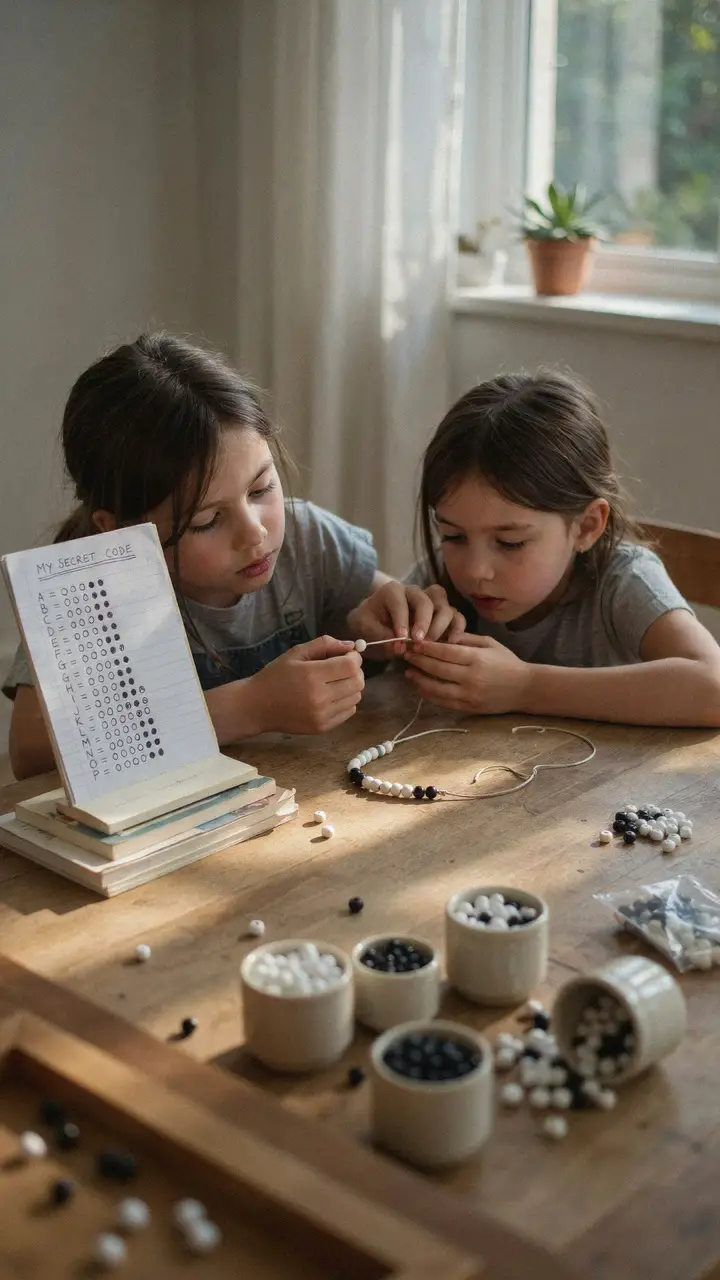
This one is for older kids in the group — ages 6 and up — and it’s genuinely magical once they get it. Binary code is the language computers actually use: every letter, number, and image is ultimately represented by 0s and 1s. In this activity, white beads = 0 and black beads = 1. Using a simple binary alphabet chart, kids can “encode” their name or a word into a bracelet.
The result? A wearable secret code that is legitimately how computers store information. That’s not a metaphor. That’s real computer science.
How to Set This Up
- Materials needed: Black and white beads (or any two contrasting colors), elastic cord or string, a printed or hand-drawn binary alphabet chart, scissors
- Binary alphabet chart: A = 00001, B = 00010, C = 00011 — search “binary alphabet for kids” for a free printable
- Age appropriateness: 6–10 years (younger with adult assistance)
- Setup time: 10 minutes | Play duration: 30–60 minutes | Cleanup: 10 minutes
- Mess level: 🟡 Medium — beads + floor = see earlier LEGO comment
- Developmental benefits:
- Introduction to binary number systems
- Encoding and decoding information (cryptography concepts)
- Fine motor control and craft skills
- Mathematical thinking through base-2 number patterns
- Pride of creation — they made a real, wearable cipher
- Variations:
- Use dark and light paint stamps on paper for a bracelet-free version
- Older kids can create message bracelets to exchange with friends — who can decode them?
- Add a challenge: make a bracelet and see if a parent can decode it using only the chart
- FYI: This activity pairs beautifully with a brief, kid-friendly explanation of how computers “think.” There are wonderful short videos about binary code that pair well — though of course, you won’t need a screen for the activity itself!
The Big Picture: Simple Play, Big Thinking
Here’s what I want you to take away from all of this: your child doesn’t need a coding app, a robotics kit, or a screen of any kind to start building the thinking skills that will serve them beautifully for the rest of their lives. A piece of paper, a handful of beads, some cushions on the floor — that’s it. That’s the curriculum.
The Human Robot game teaches algorithms. The sorting boxes teach conditional logic. The bead bracelet teaches binary code. These aren’t analogies for coding — they are coding, just wearing a different outfit.
And on the days when everything lasts exactly three minutes before someone needs a snack or a sibling incident derails the whole plan? That’s okay. Genuinely. Even three minutes of sequential thinking, pattern work, or creative problem-solving plants something real in a growing brain. You don’t have to run a perfect workshop. You just have to show up and play.
Trust your instincts, follow your child’s curiosity, and know that the beautiful, chaotic, crumb-covered afternoons you’re giving them right now are building something remarkable. Little coders don’t start at keyboards — they start exactly where you already are. <3

Greetings, I’m Alex – an expert in the art of naming teams, groups or brands, and businesses. With years of experience as a consultant for some of the most recognized companies out there, I want to pass on my knowledge and share tips that will help you craft an unforgettable name for your project through TeamGroupNames.Com!